【How to Check the SSID and Password】
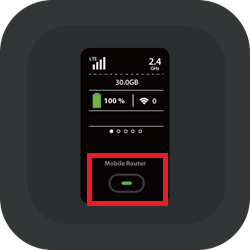
(1) Power On: Press and hold the Center Power Button for at least 3 seconds.
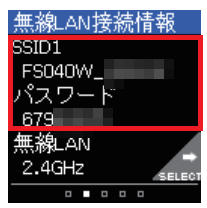
(2) Switch Screen: Press the Center Power Button once briefly.
(The screen will switch from the Home screen to the "Wi-Fi Connection Info" screen.)
(3) Confirmation: The Primary SSID and Primary Key (Password) will be displayed.