【How to Check the SSID and Password】
(1) Setup:
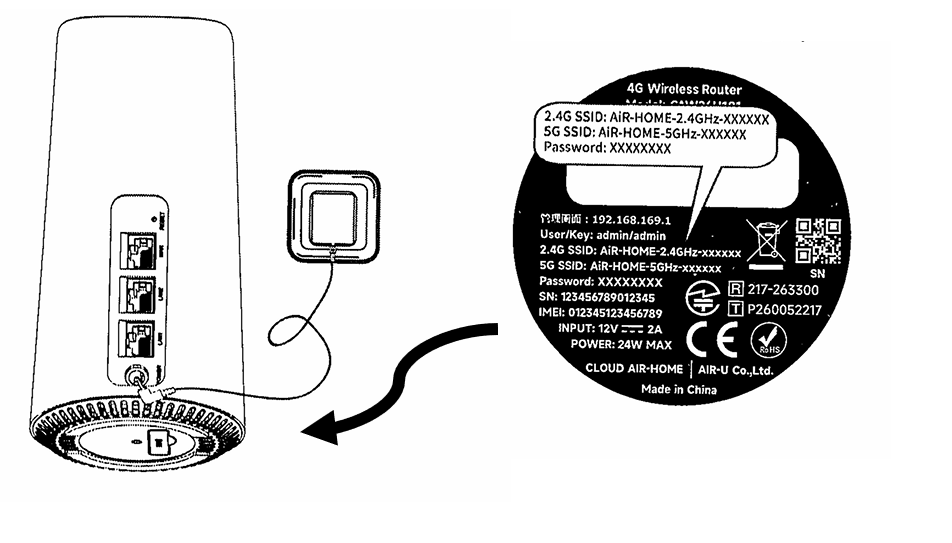
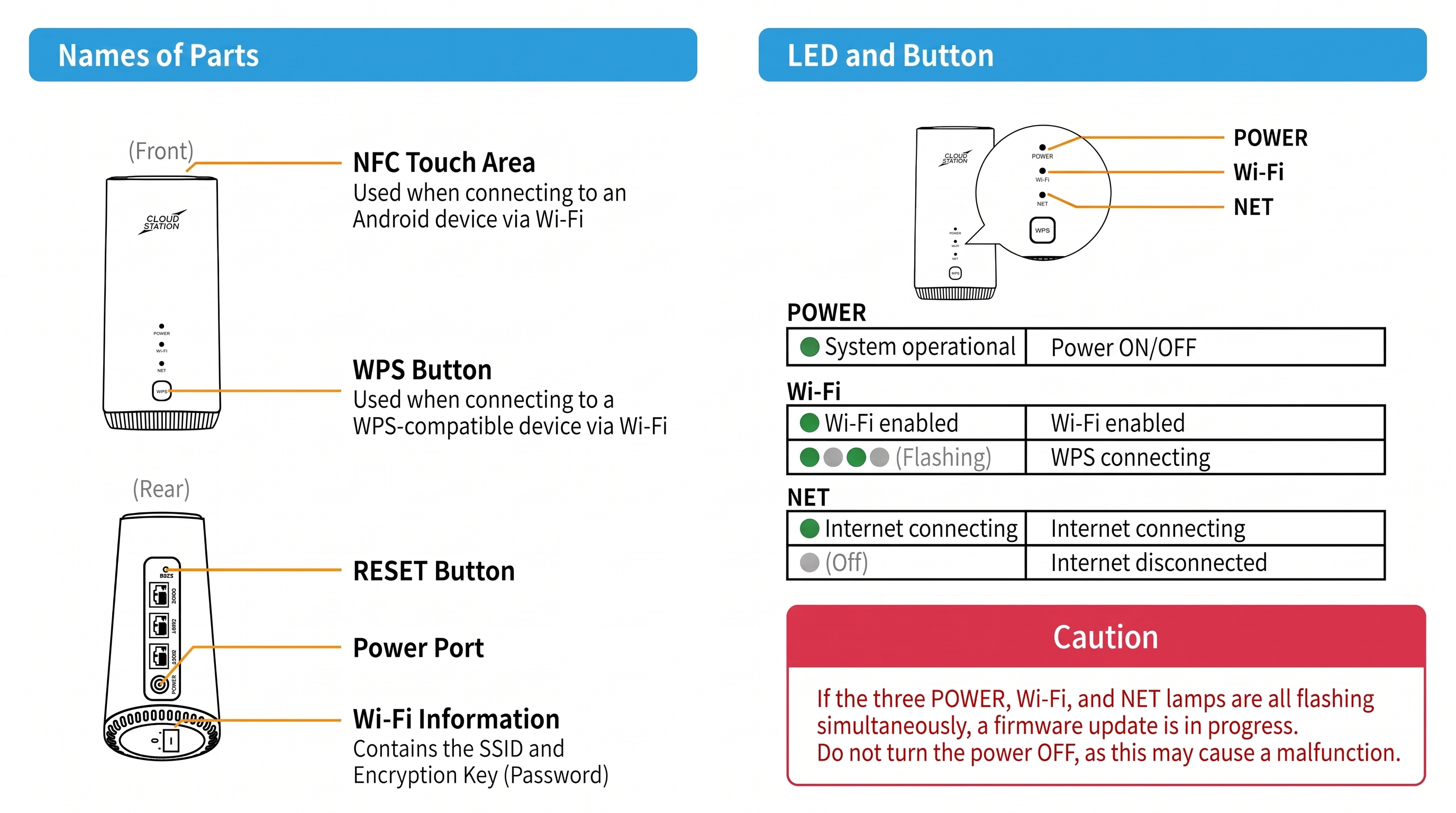
Connect the AC adapter to the device's power terminal, and plug it into a wall outlet to turn it on.(The device will power on automatically when plugged in.)
(2) Check Info:
View the product label on the bottom of the device to find your connection details.
・SSID (Wi-Fi Name): Two SSIDs are listed on the bottom of the device: one for 2.4 GHz and one for 5 GHz.
・Password: The same password is used for both 2.4 GHz and 5 GHz.