【How to Check the SSID and Password】
Note: Use the physical buttons to navigate.
(1) Power On: Press and hold the Power button until the "NEC" logo appears on the screen.
(2) Activate Menu: Once started, press the Up (▲) or Down (▼) button once.
(3) Select Info: Press the Down (▼) button once, then press the Center (●) button on "Information" (情報).
(4) Select Wi-Fi: Press the Up (▲) button once, then press the Center (●) button on "Wi-Fi".
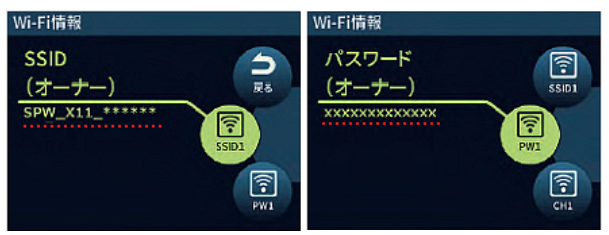
(5) View SSID: The SSID (Owner) will be displayed.
(6) View Password: Press the Down (▼) button once to display the Password (Owner).
(6) Press the ▼ button once to display the Password (Owner).
詳細は、こちらを参考にしてください。