【Language Settings】
To change the language:
Tap Settings (⚙️設定) > Language Settings (言語設定).
【How to Check the SSID and Password】
(1) Power on:Press and hold the power button for at least 3 seconds.
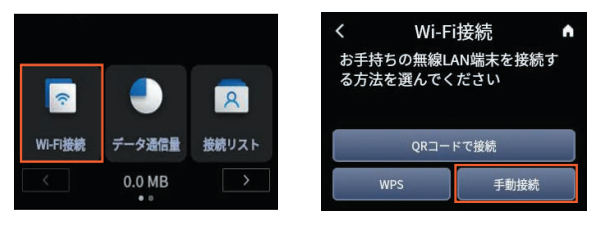
(2) Navigation:Tap Home >Wi-Fi Connection > Manual Connection.
(3) Check Info: The SSID and password will be displayed on the screen
SSID A: 2.4 GHz band
SSID B: 5 GHz band
Note: If using the 5 GHz band, please set "Enabled" to "ON".