【Language Settings】
(1) Swipe left on the screen.
(2) Select Settings (設定 ⚙️) > Language (言語).
(3) Choose your desired language from the list.
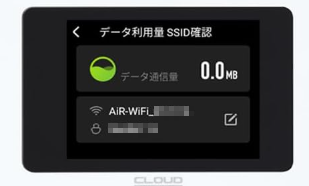
【How to Check the SSID and Password】
(1) Power on:Press and hold the power button for at least 3 seconds.
(2) Check Info: The SSID and password are displayed at the bottom of the home screen.
・Wi-Fi (Fan) icon: SSID
・Lock icon: Password
Tip: You can also tap the QR code to connect automatically.
※5GHz band is not supported.