This guide applies only to devices with a management number starting with "SK…", "SP...", or "BK..." (found on the label on the back of the device).
If your device is not working properly, please try the following steps.
Note::Performing a reset will clear the data usage displayed on the screen back to "0."
<Restarting the Device>
Turn the power off, then turn it back on.
<Reinserting the Battery>
With the power turned off, remove the back cover and the battery, then reinsert them.
<Reinserting the SIM Card>
(1) Remove SIM:With the power turned off, insert the SIM tool into the small hole on the side of the device to eject the SIM tray.
(2) Reinsert:Securely place the SIM card back into the tray and slide it back into the slot.
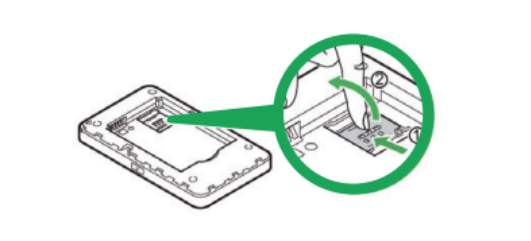
<Resetting the Device>
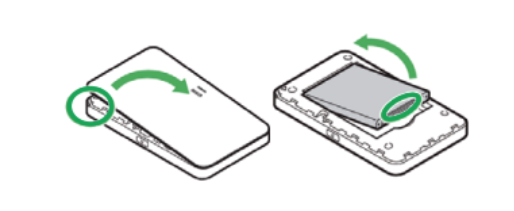
(1) Remove Back Cover:With the power on, remove the back cover.
(There is a small notch on the top-right side to insert your fingernail.)
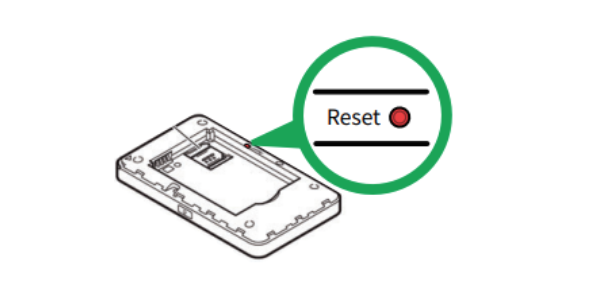
(2) Press Reset Button:Press and hold the small red button above the battery for at least 5 seconds.
(3) Restart:The device will reset and restart automatically.
★★Important: APN Configuration
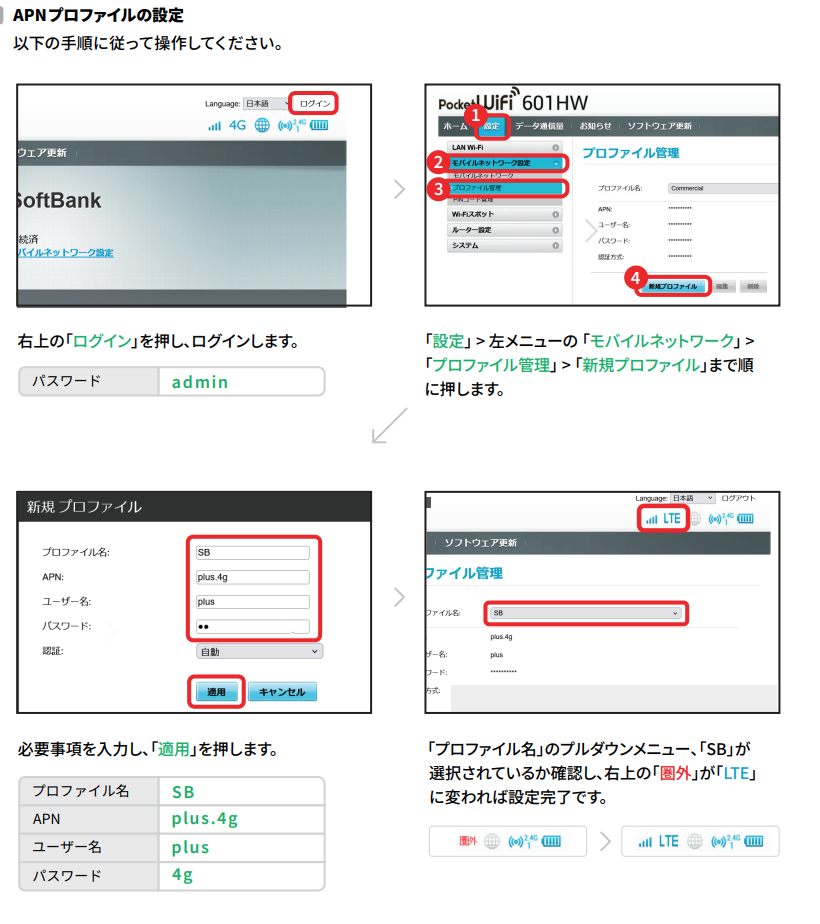
If your Device Management Number (on the back of the device) starts with "SP~ APN settings are required after a reset.
APN Configuration Method
(1) Connect your PC or smartphone to the Wi-Fi router.
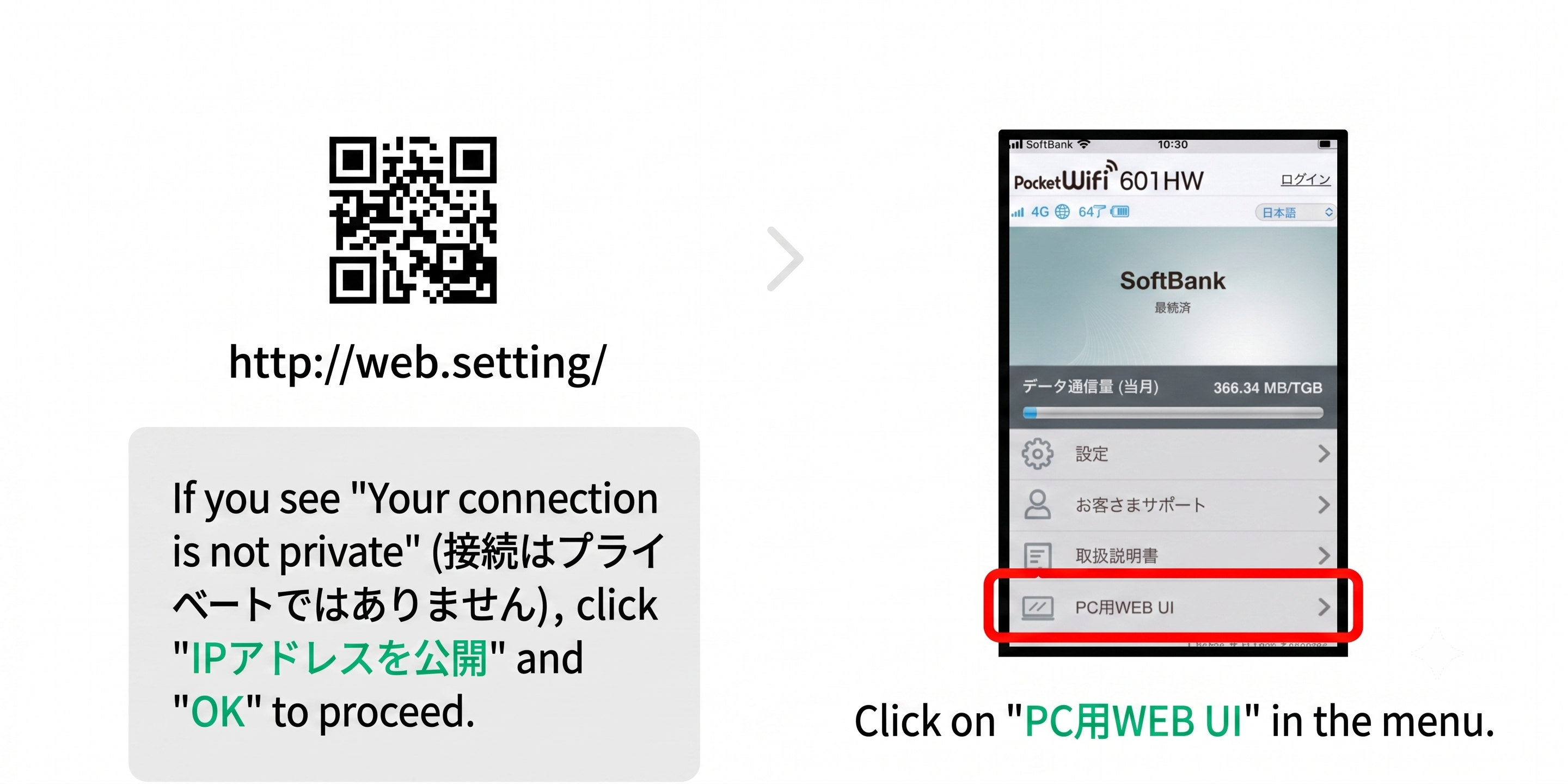
(2) Open a web browser and access the Settings Tool.
・Settings Tool URL:http://192.168.128.1/ (or scan the QR code)
・Password:admin
*If you cannot access the Settings Tool, please scan the QR code below.
(3) Follow the on-screen instructions to complete the setup.