This guide applies only to devices with a management number starting with "SE…・SG…・SH…・BG." (found on the label on the back of the device).
If your device is not working properly, please try the following steps.
Note: Performing a reset will clear the data usage displayed on the screen back to "0."
<Restarting the Device>
Turn the power off, then turn it back on.
<Reinserting the Battery>
With the power turned off, remove the back cover and the battery, then reinsert them.
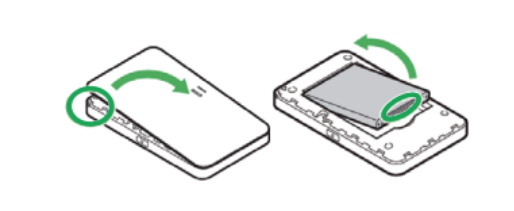
<Reinserting the SIM Card>
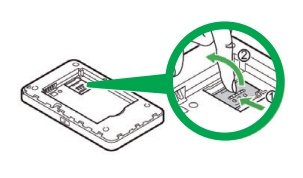
(1) Remove SIM : With the power turned off, remove the battery and slide the SIM card out.
(2) Reinsert : Slide the SIM card back into the slot and secure it.
<Resetting the Device>
(1) Remove Back Cover:With the power on, remove the back cover.
(There is a small notch on the top-right side to insert your fingernail.)
(2) Press Reset Button:Press and hold the small red button above the battery for at least 5 seconds.
(3) Restart:The device will reset and restart automatically.
★★Important: APN Configuration
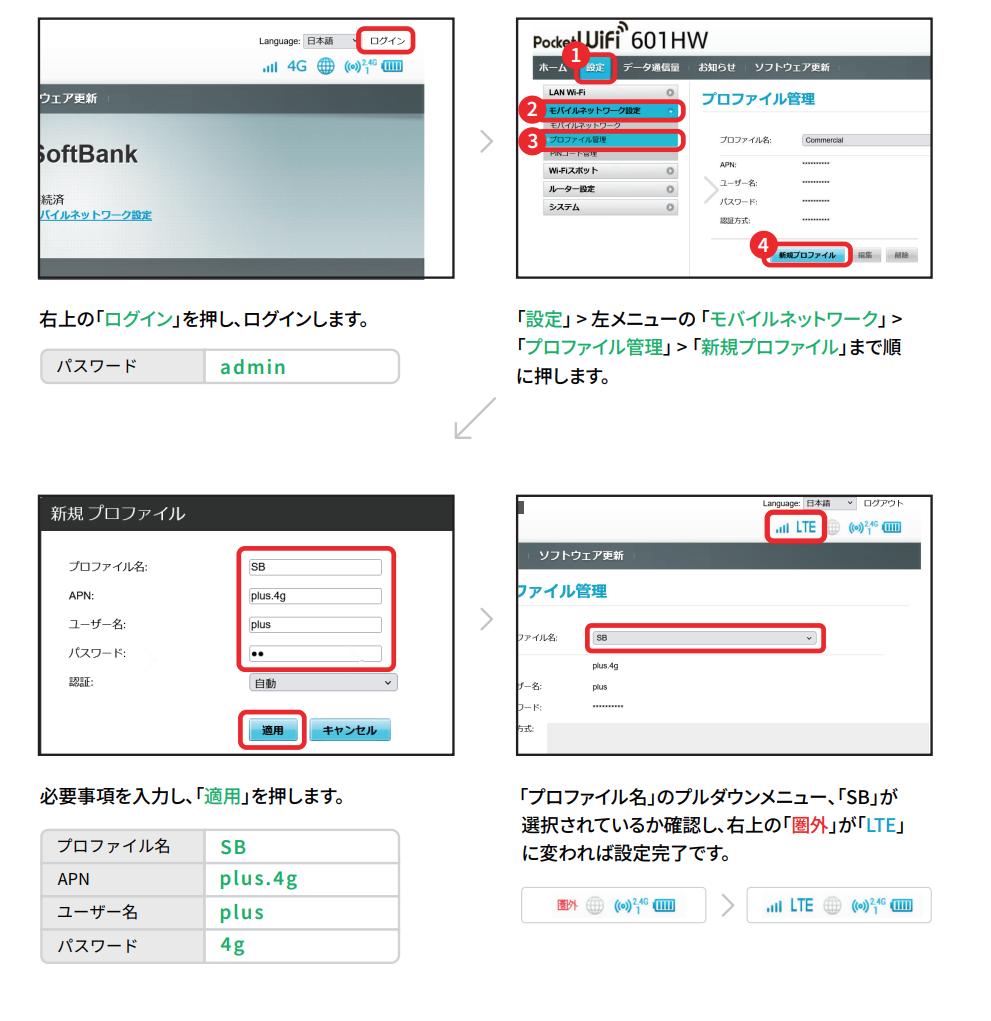
If your Device Management Number (on the back of the device) is 5 digits long starting with "SG10000~", APN settings are required after a reset.
APN Configuration Method
(1) Connect your PC or smartphone to the Wi-Fi router.
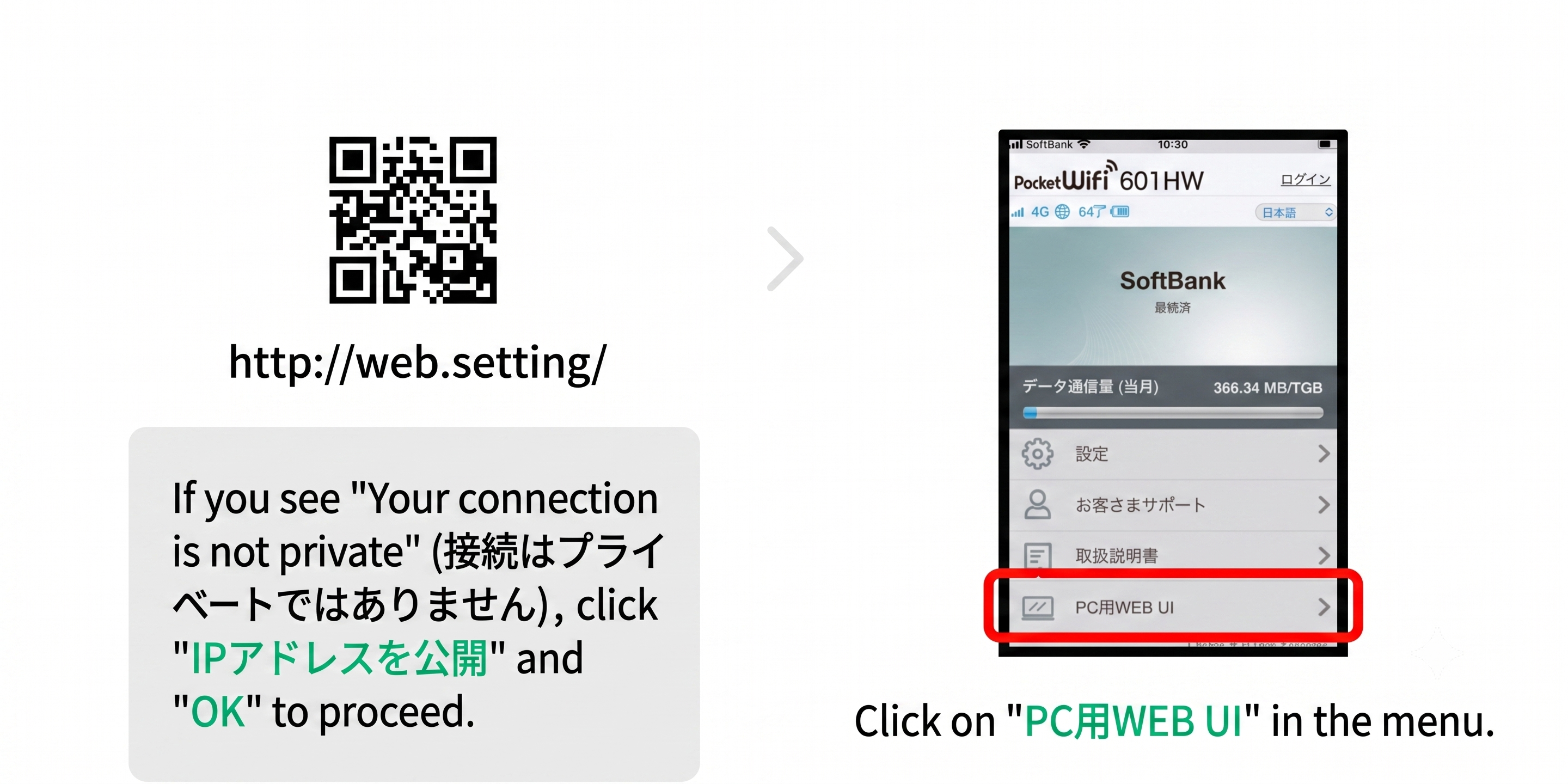
(2) Open a web browser and access the Settings Tool.
・Settings Tool URL:http://192.168.128.1/ (or scan the QR code)
・Password:admin
*If you cannot access the Settings Tool, please scan the QR code below.
(3) Follow the on-screen instructions to complete the setup.