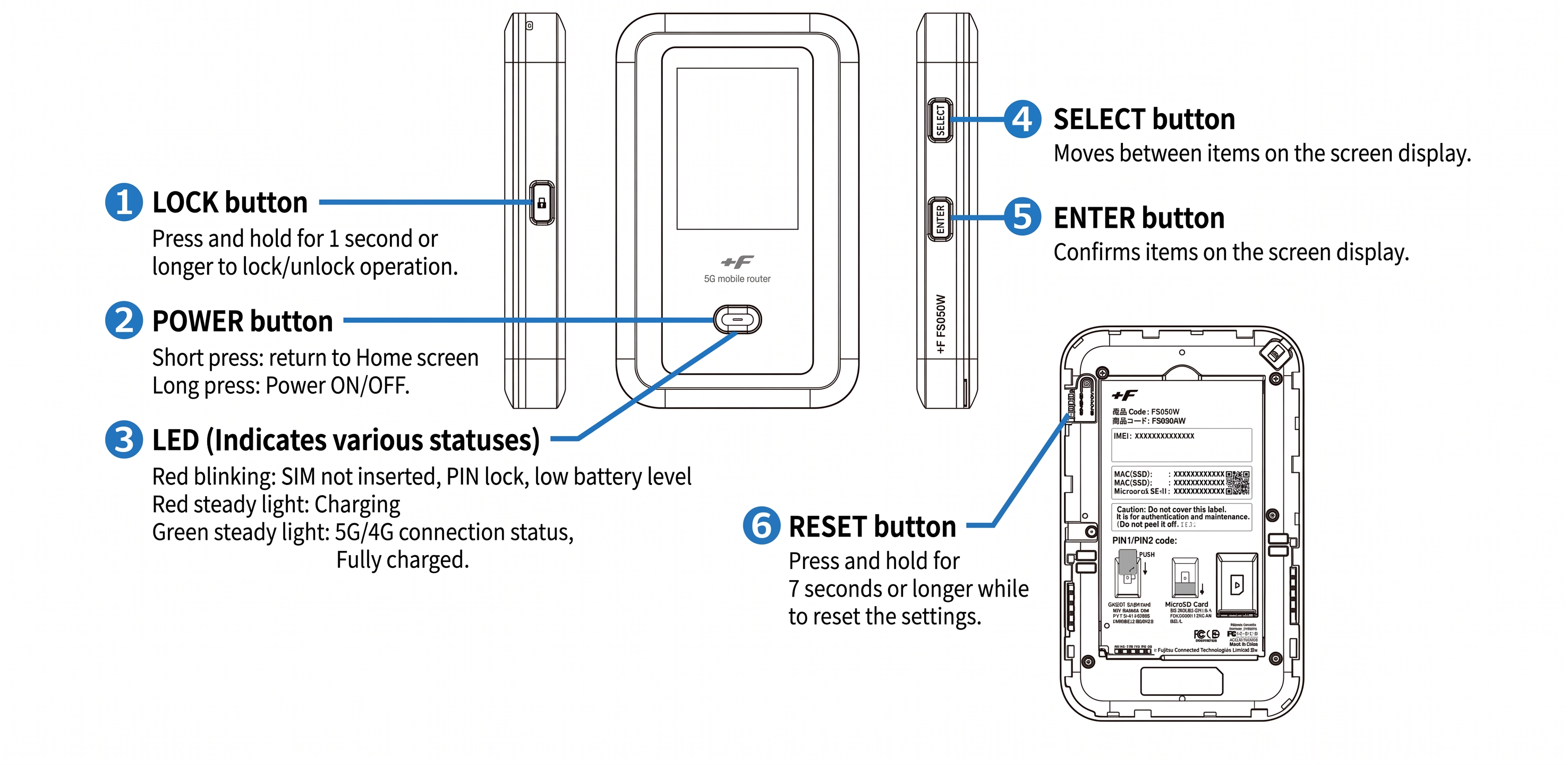
This guide applies only to devices with a management number starting with "DO..." (found on the label on the back of the device).
If your device is not working properly, please try the following steps.
Note::Performing a reset will clear the data usage displayed on the screen back to "0."
<Restarting the Device>
Turn the power off, then turn it back on.
<Reinserting the Battery>
With the power turned off, remove the back cover and the battery, then reinsert them.
<Reinserting the SIM Card>
(1) Remove the battery: With the power turned off, remove the back cover and the battery.
(2) Eject the SIM: Gently push the SIM card inward until it clicks. The lock will release, and the card will pop out slightly.
(3) Reinsert: Pull the SIM card out completely, then reinsert it.
Note: When reinserting, gently push the SIM card inward until it clicks to secure it in place.
<Resetting the Device>
(1) Remove the back cover: With the power turned on, remove the back cover.
(2) Press the Reset button: Press and hold the reset button on the top left for 5 seconds or more using a thin, pointed object like a needle.
(3) Select Language: After the "FUJISOFT" logo appears, select your language (press ENTER).
(4) Complete Setup: A few more prompts will appear on the screen. Press ENTER to proceed through them. Once the home screen is displayed, the process is complete.
For the setup procedure, please check How to change the SSID and password for FS050W.